How Can You Tell if Your Solar System Is Underperforming?
Most solar systems are quiet, low-maintenance assets. Once the panels are up and the inverter is humming, it is easy to stop thinking about them. That is exactly why underperformance so often goes unnoticed. A tripped breaker, a failed inverter, or a shaded array can quietly cost you months of production before anyone realizes something is wrong.
This guide is written for St. Louis homeowners who want a practical way to check on their system. You will learn what “normal” looks like, how to spot early warning signs, what you can safely check yourself, and when it is time to call a qualified installer.
What “Underperforming” Actually Means
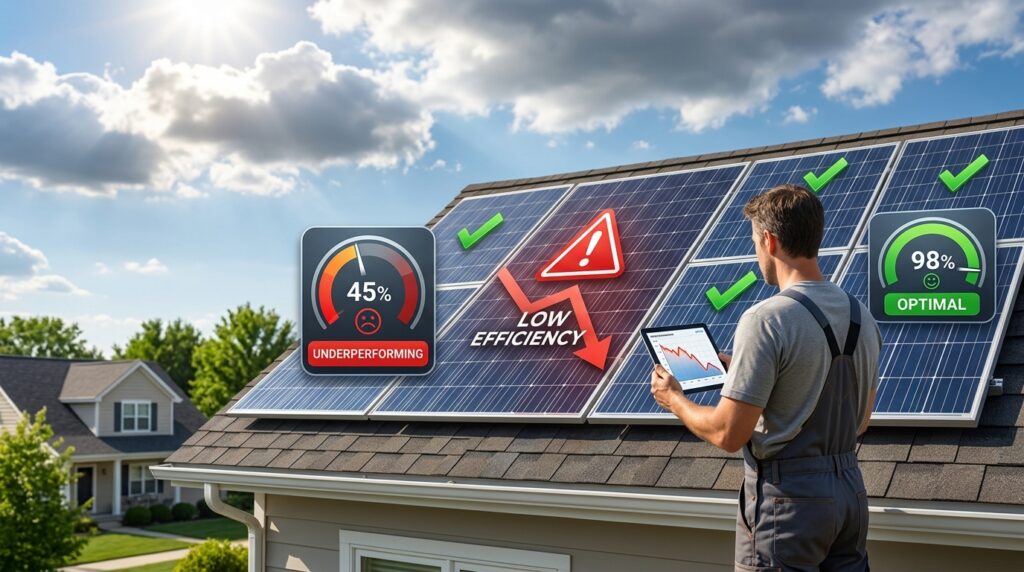
A solar system is underperforming when it produces noticeably less electricity than it should for the conditions it is operating in. The key phrase is “for the conditions.” A cloudy week in January will not match a clear week in June, and that is perfectly normal.
True underperformance is a gap between what your system should be producing and what it is producing, once weather, season, and daylight hours are accounted for. Your original proposal or production estimate is your starting benchmark, but it is an estimate, not a guarantee for any single month.
Normal variation vs. a real problem
- Normal: lower output in winter, on overcast days, or after snow covers the panels.
- Normal: small year-to-year differences caused by weather patterns.
- Worth investigating: a sudden, sustained drop on clear days.
- Worth investigating: output that is consistently and noticeably below the same period in previous years.
- Worth investigating: zero production during daylight hours.
Warning Signs You Can Spot Without Climbing on the Roof
You do not need special equipment to notice most problems. Start with what is already in front of you: your monitoring app, your inverter display, and your utility bill.
Check your monitoring app or inverter display
Most modern systems include monitoring that shows daily and monthly production. Look for flat lines on sunny days, sudden drops, or an inverter that shows an error message or a blinking warning light. If your monitoring stopped reporting entirely, that alone is worth noting, since a lost internet connection can hide real production data.
Compare your production year over year
Comparing this month to the same month last year is one of the most useful checks available. Seasons repeat, so a large unexplained gap deserves attention. Keep in mind that weather varies, so look at a longer stretch rather than a single day.
Watch your utility bill
If your electric bills climb even though your usage habits have not changed, your system may be producing less than before. Check the export and import figures on your bill if your utility provides them, and compare against the same months in prior years.
Common Causes of Reduced Solar Output
Underperformance usually traces back to a small number of causes. The table below summarizes the most common ones, what they tend to look like, and who should handle them.
| Possible Cause | What You Might Notice | Who Should Handle It |
|---|---|---|
| Shading from new tree growth or nearby construction | Production dips at certain times of day; worse in specific seasons | Homeowner can observe; installer can assess options |
| Dirt, pollen, leaves, or debris on panels | Gradual decline, especially after pollen season or long dry spells | Homeowner (ground-level observation only); installer for safe cleaning guidance |
| Snow or ice coverage | Little or no output after a winter storm | Usually resolves on its own; do not scrape or climb |
| Inverter fault or error | Error code, blinking light, or no production despite sunshine | Qualified installer |
| Tripped breaker or disconnect | System appears completely off | Homeowner may check the panel; installer if it trips again |
| Loose or damaged wiring, connectors, or optimizers | Partial output loss, intermittent production, or monitoring gaps | Qualified installer only |
| Damaged or degraded panels | Visible cracks, discoloration, or one section producing less than the rest | Qualified installer |
| Monitoring or internet connection loss | App shows no data, but the inverter still displays production | Homeowner (router check); installer if it persists |
How St. Louis Weather Can Affect Your Numbers
Local conditions matter when you interpret your output. St. Louis has four distinct seasons, and each one affects production differently.
- Winter: shorter days and a lower sun angle reduce output, and snow or ice can temporarily cover panels.
- Spring: pollen, storms, and frequent cloud cover can lower production in some weeks.
- Summer: long days boost production, but very hot panels can operate slightly less efficiently than cooler ones. Humid, hazy days can also reduce output.
- Fall: falling leaves and debris can collect on or around arrays, and mature trees may cast longer shadows as the sun sits lower.
Severe weather, including hail and high winds, can also physically damage equipment. After a major storm, it is reasonable to check your monitoring and ask a qualified installer to inspect the system if anything looks off.
A Simple Step-by-Step Self-Check
Before calling anyone, a few safe, ground-level checks can help you describe the problem clearly. Never climb onto the roof or touch electrical components on your own.
| Step | What to Check | What It Tells You |
|---|---|---|
| 1 | Open your monitoring app on a clear, sunny day at midday | Whether the system is producing at all, and roughly how it compares to past clear days |
| 2 | Look at the inverter display or indicator lights | Whether there is an error code or fault status you can report |
| 3 | Check your main electrical panel for a tripped solar breaker | Whether the system was disconnected by a breaker trip |
| 4 | Look at the array from the ground with binoculars if helpful | Visible shading, debris, or physical damage |
| 5 | Compare this month’s production to the same month last year | Whether the drop is a trend or normal weather variation |
| 6 | Write down dates, screenshots, and any error messages | Useful information to hand your installer |
Practical tips while you check
- Take screenshots of your monitoring data so you can show when the drop began.
- Note the weather on the days in question. Clear-day comparisons are the most reliable.
- Confirm your home internet is working before assuming the system is down.
- Keep your original proposal, warranty paperwork, and equipment list in one place.
What NOT to Do
When output drops, it is tempting to fix things yourself. Solar systems involve high-voltage direct current and rooftop work, and both carry real risk.
- Do not climb onto the roof to inspect or clean panels.
- Do not open the inverter, junction boxes, or wiring enclosures.
- Do not spray panels with a hose or use harsh cleaners or abrasive tools without guidance from a qualified professional, since improper cleaning can damage equipment or affect warranty coverage.
- Do not ignore recurring breaker trips or error codes, and do not repeatedly reset them without finding the cause.
When to Call a Qualified Installer
Some situations call for a professional right away, and others can wait for a scheduled visit. If you are unsure, it is better to ask. A short conversation can save you from weeks of lost production.
| Situation | Urgency | Recommended Action |
|---|---|---|
| Burning smell, smoke, sparking, or visible melting | Emergency | Stay away, call emergency services if there is fire risk, then contact a qualified installer |
| Physical damage after hail, wind, or a falling branch | High | Call an installer for inspection; document damage for insurance |
| Inverter error code or no production on sunny days | High | Contact your installer with the error code and screenshots |
| Solar breaker keeps tripping | High | Do not keep resetting it; schedule a professional diagnosis |
| Sustained drop compared to prior years on clear days | Moderate | Request a system performance review |
| One panel or section visibly different from the rest | Moderate | Schedule an inspection to check panels, connectors, and optimizers |
| Monitoring offline for an extended period | Low to moderate | Check your router first, then ask your installer for help reconnecting |
When you do call, have your monitoring screenshots, dates, error messages, and your equipment paperwork ready. If your system is still under a workmanship or equipment warranty, mention that as well, since it may affect how repairs are handled. If you are a St. Louis homeowner and want a professional set of eyes on your system, the team at Rumos Chem can help you understand what you are seeing and talk through next steps.
Keeping Your System Healthy Long Term
Good habits make underperformance easier to catch early and easier to prevent.
- Check monitoring regularly. A quick look once a week or once a month is enough to spot big changes.
- Watch tree growth. Branches that once cleared the array can eventually cast new shade.
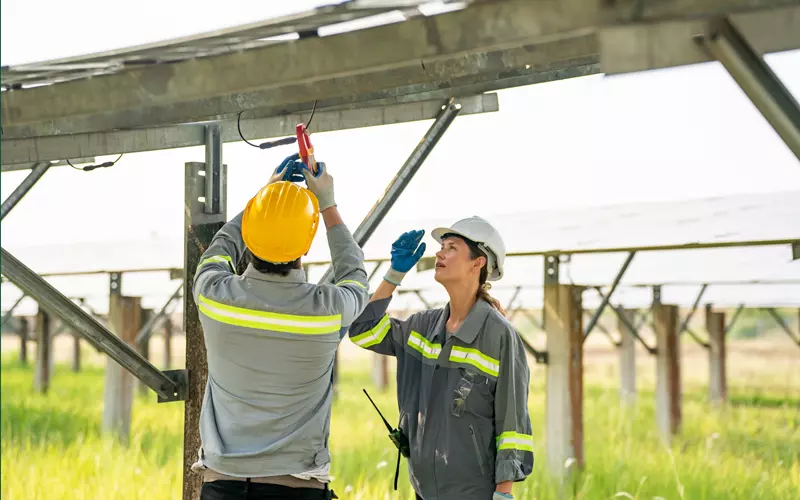
- Schedule periodic inspections. A professional can check wiring, mounting, and equipment that you cannot see from the ground.
- Keep records. Save your production history, invoices, and warranty documents.
- Review your system after major storms. Hail and high winds are worth a follow-up check even if nothing looks broken.
Frequently Asked Questions
How often should I check my solar production?
A quick look at your monitoring app every week or two is plenty for most homeowners. The goal is not to track every kilowatt-hour but to notice sudden drops or long flat stretches that do not match the weather.
Is it normal for my solar panels to produce less in winter?
Yes. Shorter days, a lower sun angle, cloud cover, and occasional snow all reduce winter output. Compare winter months to previous winters rather than to summer.
Do solar panels need to be cleaned?
It depends on your setup, tilt, and surroundings. Rain often handles light dust, but heavy pollen, leaf debris, or bird droppings can build up. Because cleaning involves roof access and can affect equipment or warranties if done incorrectly, ask a qualified professional before cleaning anything yourself.
My monitoring app shows no data. Does that mean my system is broken?
Not necessarily. A lost Wi-Fi connection or router change can stop data from reporting even when the system is still producing. Check the inverter display and your home internet first. If the inverter shows a fault or the app stays offline, contact your installer.
Will a performance issue affect my warranty?
Coverage depends on your specific equipment and installation agreements, so review your paperwork. Avoid DIY repairs, since unauthorized work on electrical components can complicate warranty claims. Reporting problems promptly and documenting them is always a good idea.
Final Thoughts
Solar systems are designed to be dependable, but they are not entirely maintenance-free. By learning what normal output looks like, checking your monitoring regularly, and knowing the signs of trouble, you can catch problems before they cost you production. When something does not look right, gather your data and reach out to a qualified installer rather than attempting risky repairs on your own. If you have questions about your system or your options in the St. Louis area, Rumos Chem is here to help you make sense of them.